2.1. “Start” Page
The “Start” configuration page, shown below in Fig. 6, contains various general settings. Specifically, we will configure the following options for all the controllers:
Measuring system: Metric, Millimeter
Movement type: Linear
Time units: Seconds
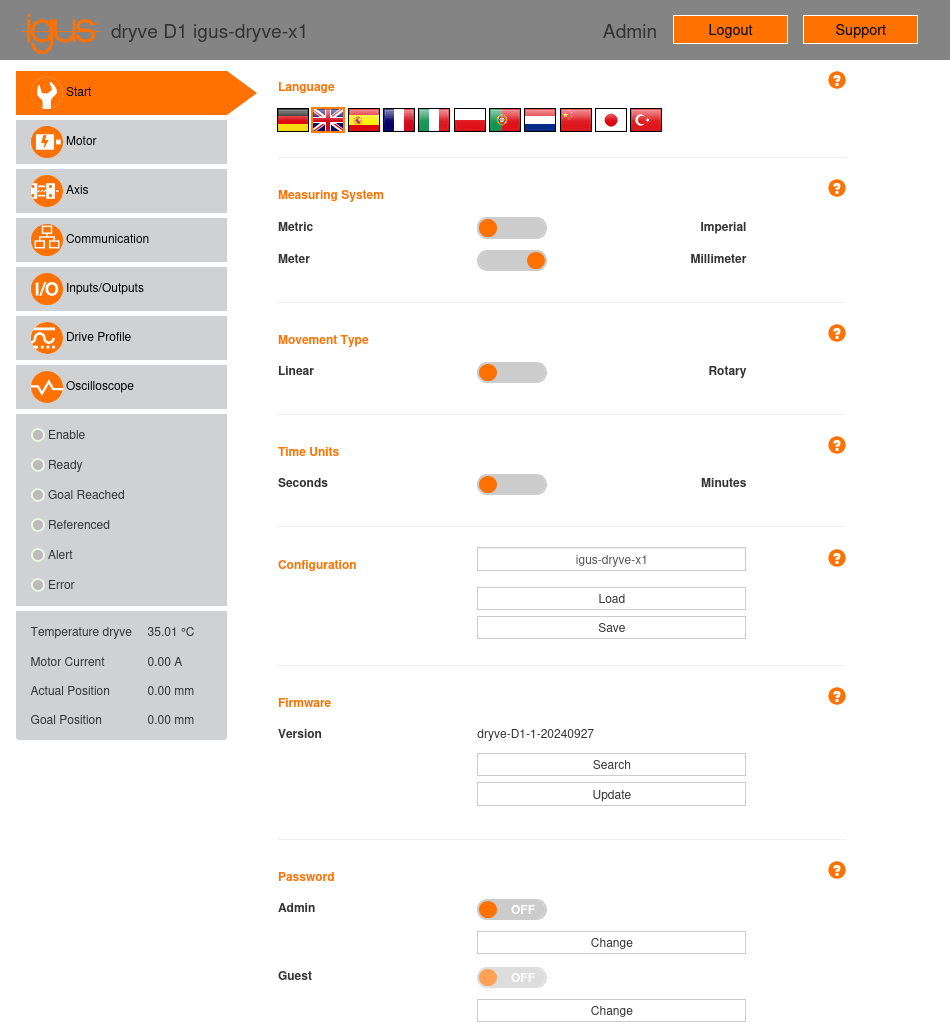
Fig. 6 Initial configuration page of the X1 motor controller.
Additionally, this page includes the following sections:
Configuration: This section allows you to save the current controller configuration to a file and load a configuration from a file. Once the controller configuration is defined, it is recommended to use this functionality to save it.
Firmware: This section enables updating the controller firmware. The “Search” button directs you to the URL for downloading the latest firmware version. The “Update” button allows you to load the firmware file from your disk to update the controller.
Password: This section allows you to set a password for “Admin” and “Guest” users. These users can be activated or deactivated using their respective switches. If both users are deactivated (the default setting), the user interface is accessed with the “Admin” user. The “Guest” user can only be activated if the “Admin” user has been previously activated.